
Public project
MediaMTX Client
A browser-first MediaMTX console for server health, stream management, recording control, WebRTC and HLS playback, and synchronized review.
- Project type
- Open-source media management console
- Period
- 2026
- Role
- Project lead and AI-assisted developer
- Vite
- React
- TypeScript
- Zustand
- Zod
- WebRTC
- HLS
- Fluent UI
- Bun
Context
MediaMTX Client is a public console for a MediaMTX live media server and media proxy. It runs in the browser and connects directly to the configured MediaMTX API. The project uses Vite, React, and TypeScript, with Zustand stores for preferences, metrics, player assignments, recording state, and API data.
The implementation used an AI-assisted development process. The project lead guided the agents with media knowledge, requirements, prompts, review, testing, and implementation decisions.
Problem
Media operations are easier when server health, stream state, recording status, playback, and footage are visible together. A command-line request can prove an endpoint responds, but it does not provide a workspace for comparing streams, reviewing recordings, or monitoring several cameras.
The project needed to expose MediaMTX features without adding another service. It also needed to handle incomplete data, rejected requests, and streams that the browser cannot play through the preferred protocol.
Role and responsibilities
The project lead defined the scope, translated media workflows into interface requirements, directed implementation, reviewed changes, and verified behavior. Responsibilities covered the API boundary, stream workspace, recording management, playback strategy, validation, portable build, and quality checks.
Constraints
- The client has no backend service. The browser must reach the configured MediaMTX API and playback server directly.
- MediaMTX responses and operator-provided stream inputs cannot be assumed to match the expected shape.
- Playback support differs across browsers and stream configurations.
- A portable deployment should remain useful where a conventional application hosting stack is unnecessary.
- Authentication is not yet implemented.
Approach
The application provides four main views: Dashboard, Streams, Playback, and Playback Sync.
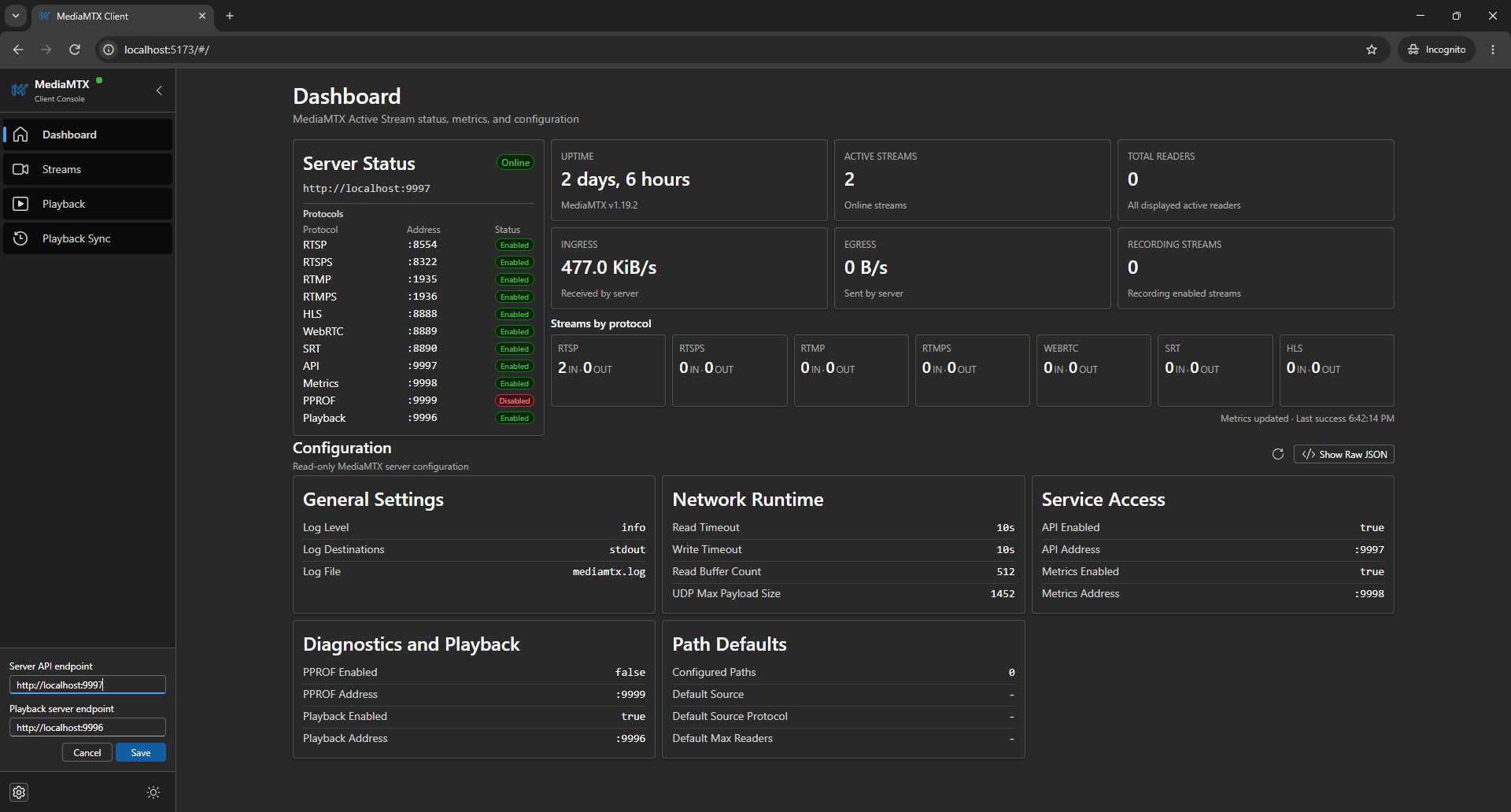
The Dashboard checks health and shows live metrics, transfer rates, protocol listeners, and configuration summaries with clear loading and error states.
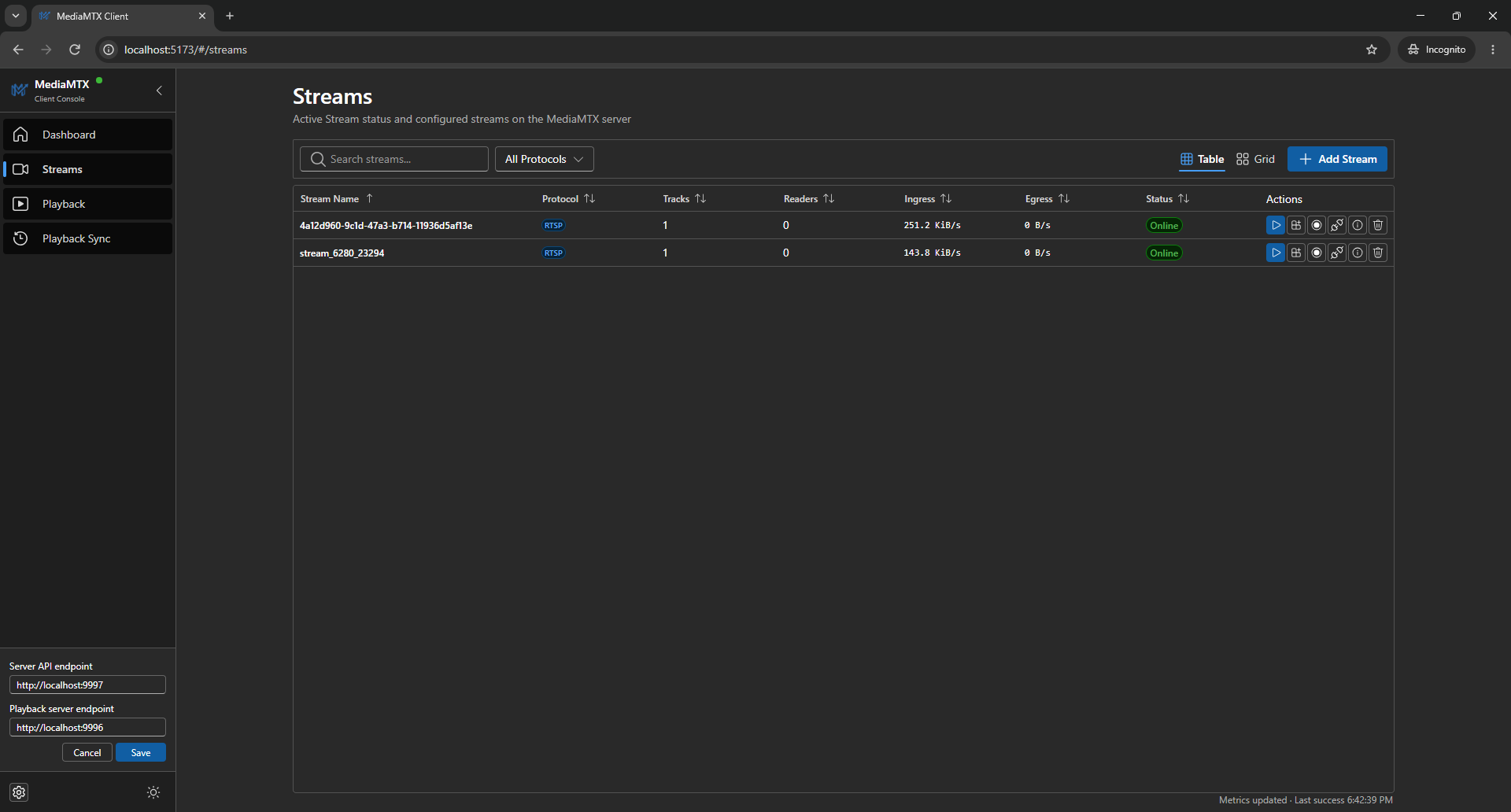
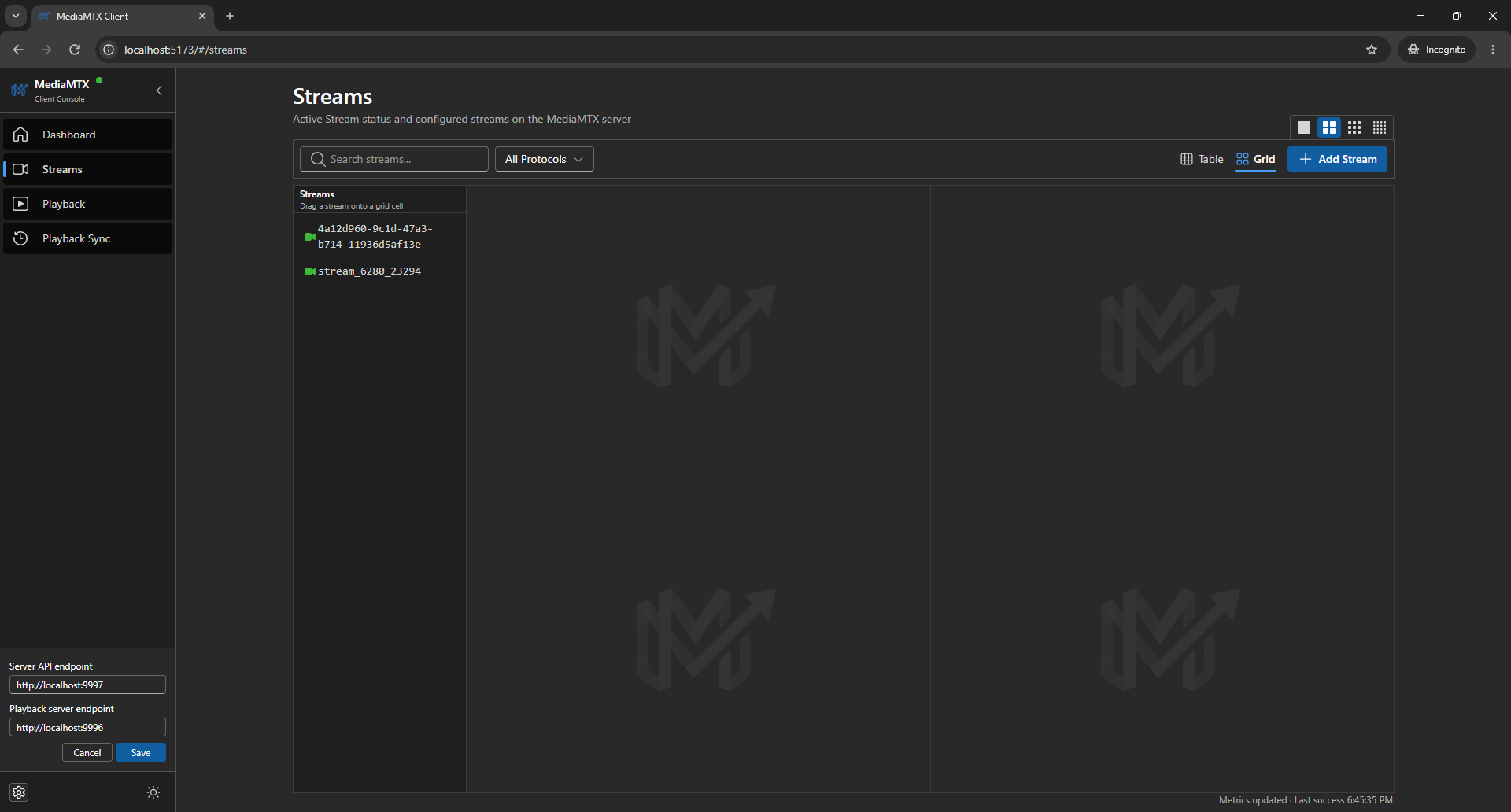
The Streams workspace is the main working area. Operators can switch between table and multi-player grid views, inspect stream and reader details, manage recording per stream, and open live playback.
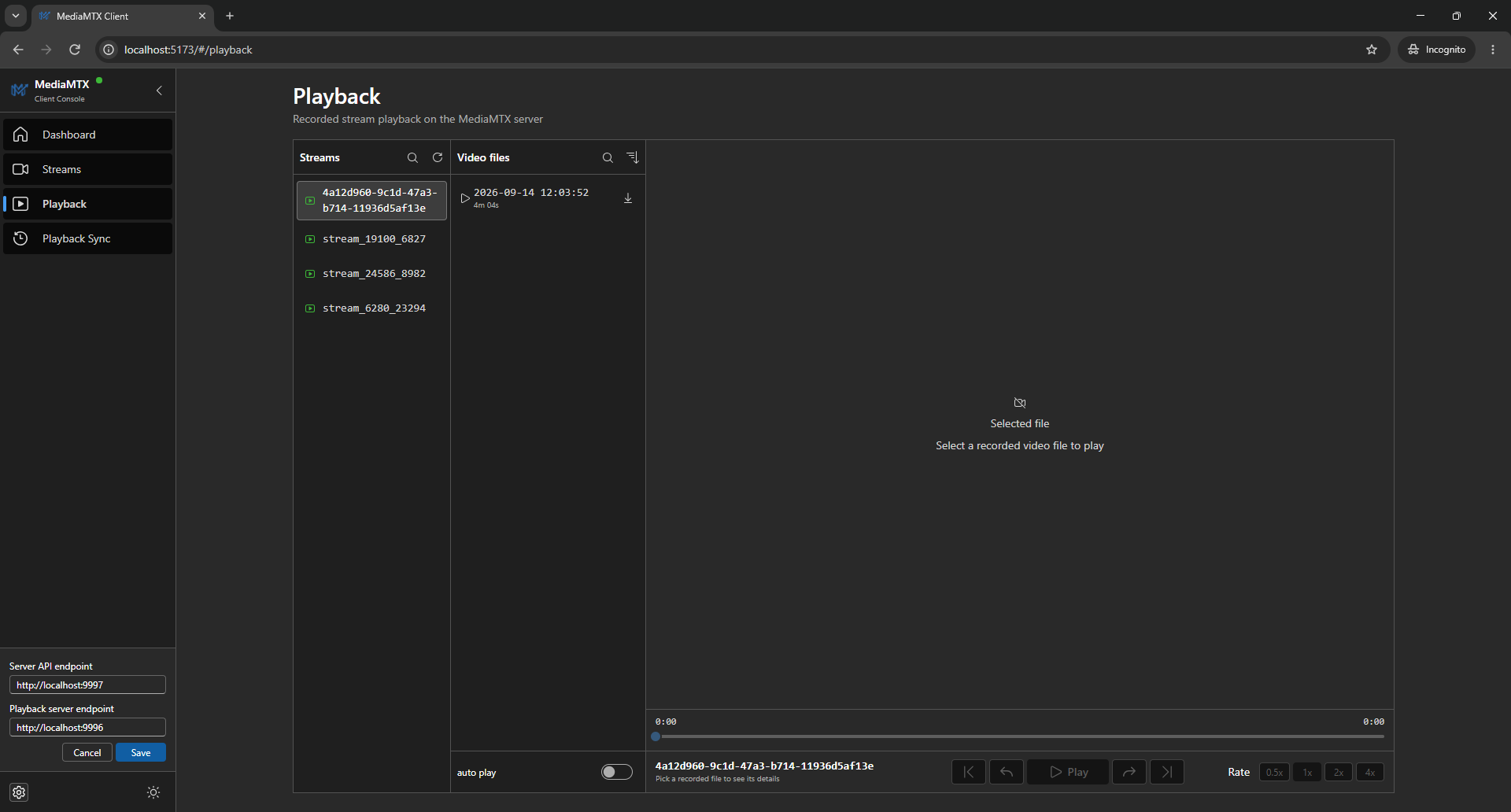
The Playback page is for browsing and watching recorded video files. It includes stream selection, file details, a custom seek bar, playback speed, autoplay, and MP4 download.
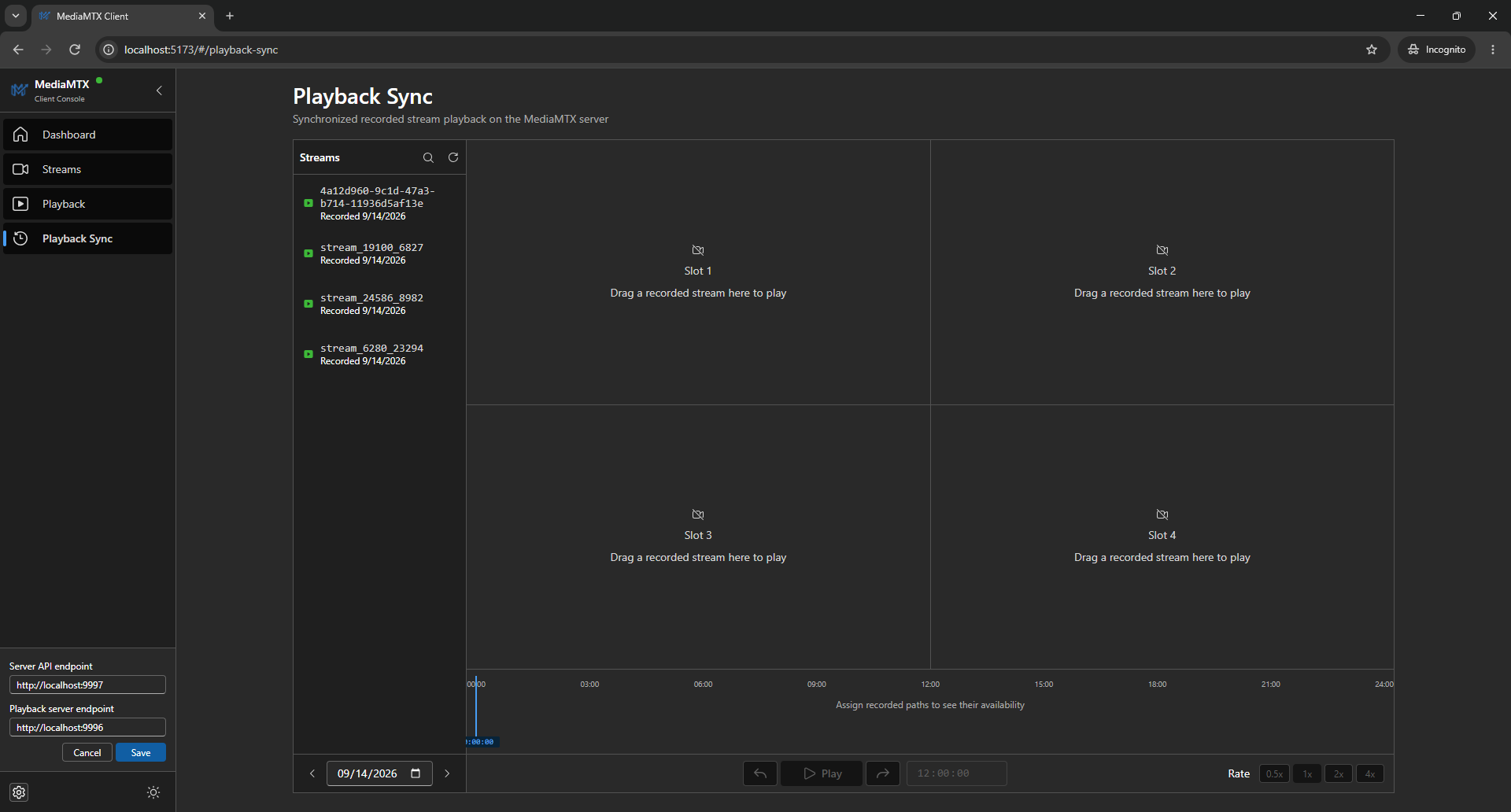
The Playback Sync page reviews multiple recorded streams side by side. A shared clock keeps video slots in sync. A multi-track timeline shows recording intervals, and scrubbing seeks all active streams together.
Important decisions
Keep the server boundary visible
The interface does not hide requests behind optimistic state. Loading, empty, and error states show whether the client is waiting for MediaMTX, has no data, or received a result it cannot use. This is important for a console used to diagnose media workflows.
Prefer WebRTC and retain an HLS path
Live playback tries WebRTC through WHEP first for low latency. If that path fails, the player falls back to HLS. Native HLS is used where supported, while hls.js covers compatible browsers without native support.
Share transfer rate samples across views
Dashboard, table, cards, stream details, and the single-player drawer use one rate sample per path. Ingress is received by MediaMTX, and egress is sent by MediaMTX. Rates use counter deltas over measured time and are formatted as B/s, KiB/s, or MiB/s. This keeps transfer data consistent across views.
Build synchronized playback around a shared clock
Playback Sync uses a shared controller for seek, play, and pause across all active slots. Timeline scrubbing seeks every slot together. This makes multi-camera review feel like one operation instead of separate players.
Make quality checks part of delivery
Bun tests, TypeScript, ESLint, and Prettier form the public project’s verification toolchain. The portable output is a build target, not a substitute for those checks.
Outcome
The result is a public browser workspace for server health, live metrics, transfer rates, configuration review, stream management, recording control, live playback, recorded file review, and synchronized playback across up to four cameras. Its single-file build makes the console easy to move into any environment that can expose the required MediaMTX endpoints.
The documented limitations remain part of the outcome. Authentication must be added before using the console as a protected administrative surface, and server configuration persistence must be handled with an understanding of the MediaMTX version in use.
Lessons learned
A browser-only operations client stays compact when its trust boundary is clear. Visible request states and focused stores matter more than hiding the remote system behind extra layers.
Media playback works better as a state machine than as one success callback. A preferred low-latency path, a clear fallback, and useful errors show what failed.
Synchronized review needs time coordination as a core feature. A shared clock for seek, play, and pause is more reliable than coordinating separate video elements later.
AI-assisted implementation still needs technical ownership. Domain constraints, clear requirements, review, testing, and documented limits turn generated changes into a maintainable public project.